How do I use Lessonpress to homeschool?
Describe the skill your child is working on, pick their grade, and generate a standards-aligned practice page in under a minute — then print it or save it as a PDF. For help teaching a tricky skill, build the Learning Guide, a plain-language companion with at-home ideas and common mistakes to watch for. To keep a running record, add each child under "At home" and switch on progress — their on-screen quizzes build a picture of what they've got and what to revisit. Making worksheets is free (up to 15 a month), and the free plan covers one child; the Learning Guide and more than one tracked child are on the paid plans.
Step by step
Make practice for the skill you're teaching
Pick your child's grade, describe the skill in your own words (like "regrouping in subtraction" or "reading for the main idea"), and generate. You choose the next skill in your own sequence — there's no school pacing guide to follow.
Get help teaching it (optional)
Open the Learning Guide for that worksheet — a plain-language companion that explains the skill, gives easy at-home ideas, names the mistakes to watch for, and shows how to help if your child is stuck. It's part of the Pro plan.
Keep a record for each child
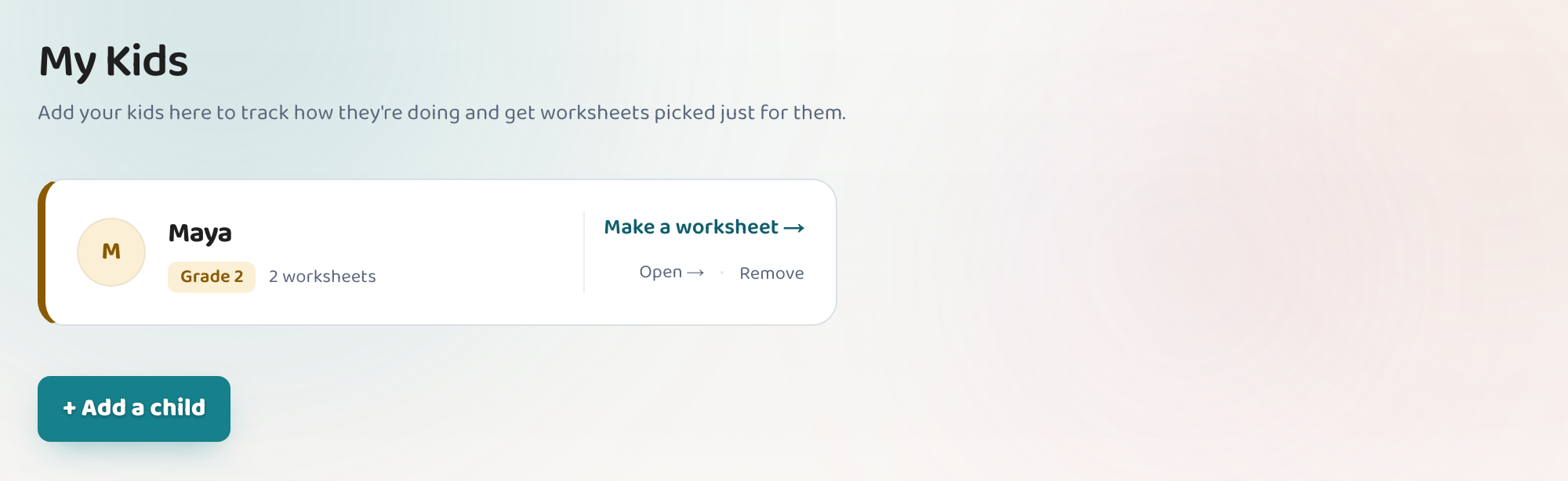
Open "At home" and add each child — a first name and their grade is all it takes. Switch on progress for a child and their on-screen quizzes fill in a running record of the skills they've got and the ones to revisit, in plain words rather than grades. The free plan covers one child; Teacher and Pro have no limit.
Tell it how the paper work went
Gave a workbook page or a spelling test on paper? Open that worksheet and say whether it was too hard, just right, or too easy. That steers what Lessonpress suggests next — an easier take on the same skill, or a deeper one. It doesn't produce a score: the running record fills in from on-screen quizzes, so give it on screen when you want it counted.
Good to know
- Add each child under "At home" — each one gets their own page, their own suggestions and their own record. You don't set up classes or groups for your own kids; that's the classroom side of Lessonpress.
- Homeschool families use the Pro plan ($9/mo) — the same full toolkit as a teacher's plan. The discounted Teacher rate is reserved for verified school staff, but Pro gives you every feature.
- You can export your account data any time from your Account page if you want your own copy of your worksheets and records.
Common questions
Do I need the Teacher plan to homeschool?
No. The discounted Teacher plan is for verified school staff; homeschool families use the Pro plan ($9/mo), which includes the exact same tools — unlimited worksheets, the Learning Guide, per-child tracking, and everything else.
Can I track more than one child?
Yes. Add each of them under "At home" and switch progress on for each — every child gets their own page, their own suggested next step, and their own running record. The free plan covers one child; Teacher and Pro have no limit.
Can I keep a record for our homeschool?
Yes. On-screen quizzes build a running record per child of the skills they've got and the ones to revisit, and you can export everything — worksheets, children, and their records — from your Account page for your own copy. Worksheets done on paper aren't scored, so give them on screen when you need the work on the record.
Try it yourself, free.
Make a standards-aligned worksheet in under a minute. No credit card to start.
Start free