How do I track my class's progress by standard?
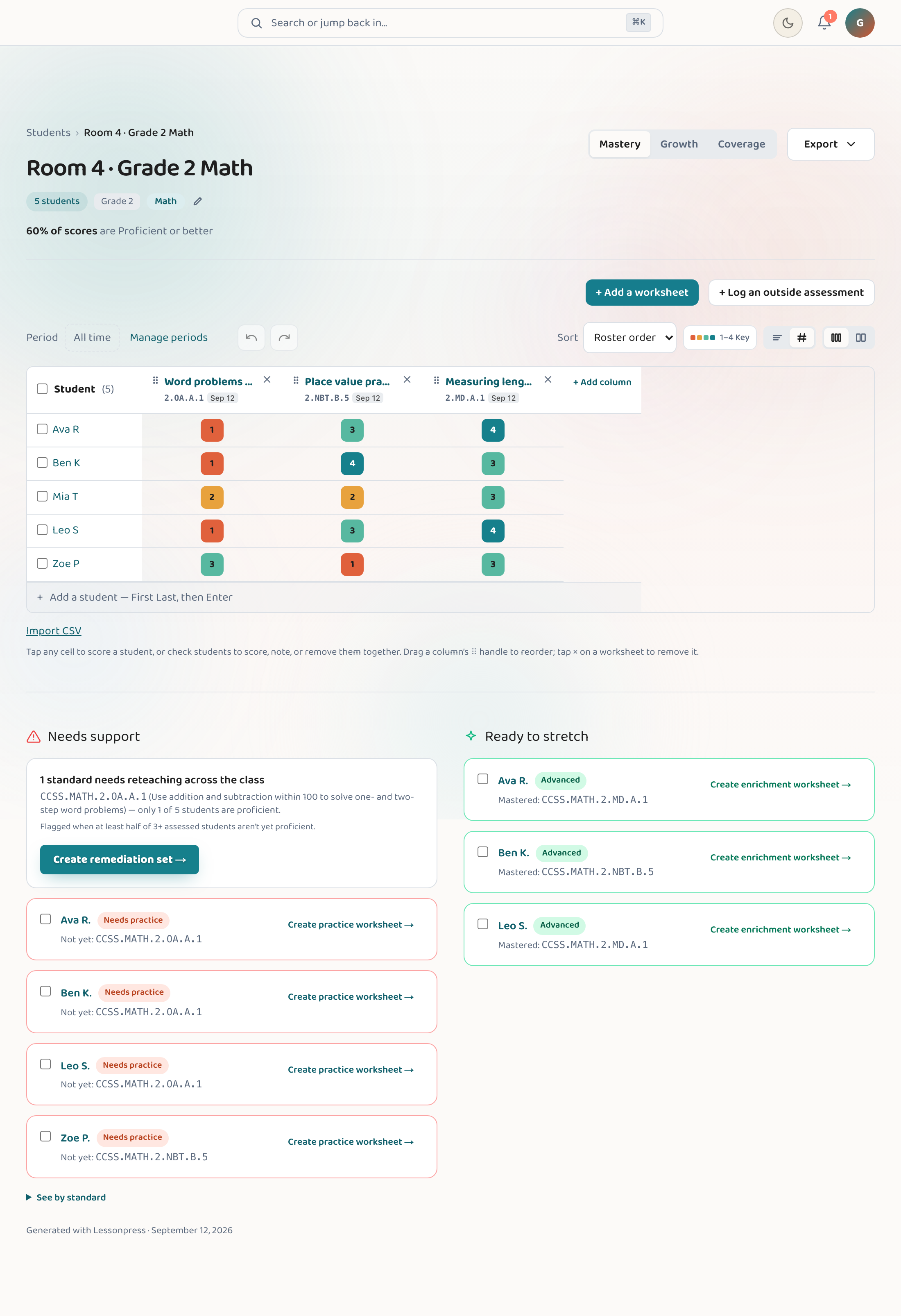
Create a class in Lessonpress, add your students, then score them on a worksheet — Lessonpress turns those scores into progress data, a matrix showing exactly which standards each student has and hasn't mastered. The "Class Mastery" insights view then ranks the standards your classes are struggling with most, worst-first and across all your classes, so you can see at a glance what to reteach (go back over with the group). Class tracking is part of the Teacher and Pro plans.
Step by step
Create a class
Open "Students" from the menu and create a class with the "+ New group" button. You can group students however you like.
Add your students
Type student names in, or import them all at once from a CSV file (a spreadsheet, like an export from Excel or Google Sheets). No student emails or accounts needed — it's your private list of kids.
Attach a worksheet and score it
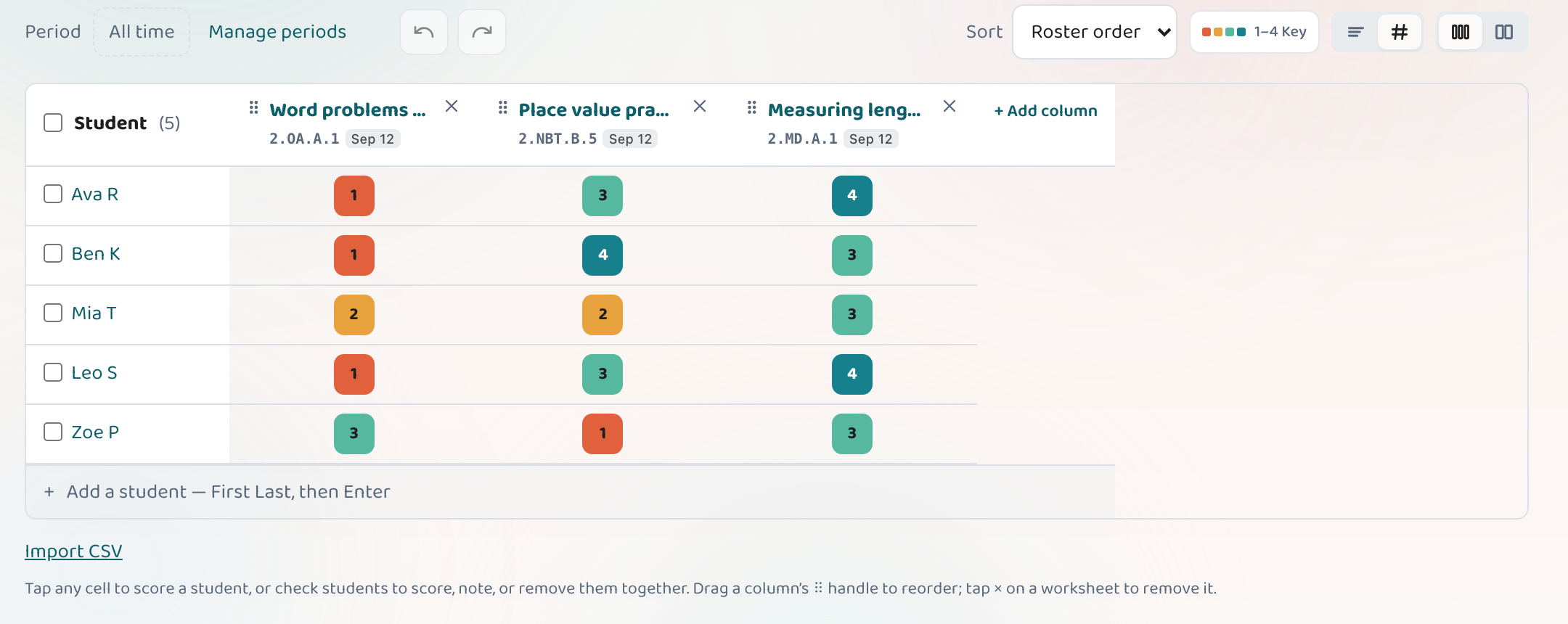
On the class's Mastery tab, use "+ Add a worksheet" to link a worksheet you've made, then mark how each student did on the scoring grid. ("Log an outside assessment" is the same idea for a test you gave on paper.) This is what feeds the progress data.
Read the progress matrix
See a grid of students and standards — green where they've mastered it, amber and red where they haven't. The Mastery tab rolls this up into a class summary at the top.
Open Class Mastery insights
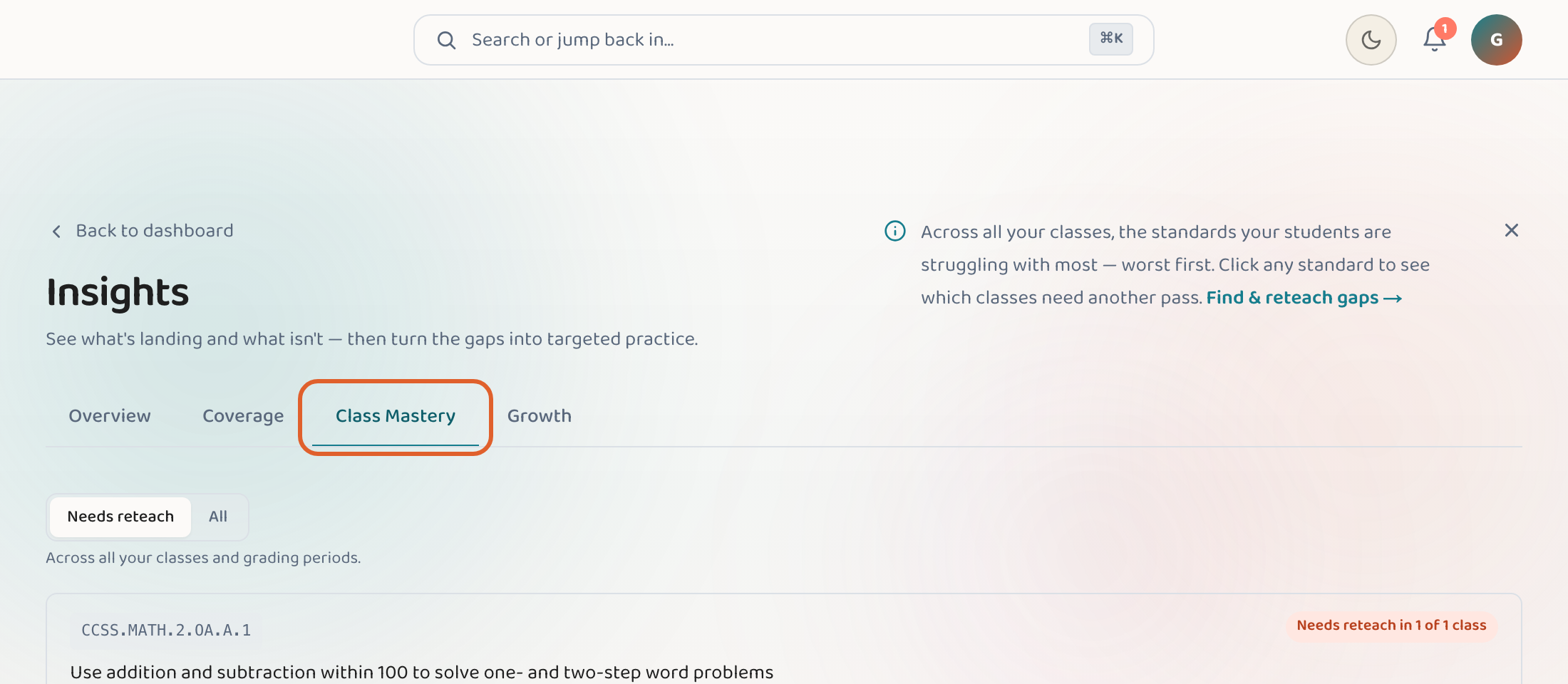
Insights isn't in the sidebar at the moment — open it with the button below, or press ⌘K and search for it. Its "Class Mastery" tab ranks the standards your classes are weakest on, worst-first and across every class. Click any standard to see which classes are struggling, then jump straight to that class's Mastery tab.
Good to know
- You can score worksheets you made in Lessonpress, or log an assessment you gave outside it.
- Class Mastery looks across all your classes at once, so you can spot a standard that's weak everywhere.
- Scoring a few worksheets is enough to start seeing patterns — you don't need a whole semester of data.
- Click any cell in the scoring grid to open the score editor — there's also a "Note (optional)" field where you can jot a private observation alongside the score.
Common questions
Do my students need accounts?
No. Your roster is private to you — just names you add or import. Students never log in.
How does Lessonpress know what they've mastered?
From the scores you record. When you mark how students did on a worksheet, Lessonpress maps those results to the standards the worksheet covers.
What does "worst-first" mean in Class Mastery?
It sorts standards by how much your classes are struggling, putting the weakest at the top — so the thing most worth reteaching is the first thing you see.
See your class by standard.
Insights rolls up what you've taught and where every student stands — across all your classes.
Open Insights