How do I see how my child is doing?
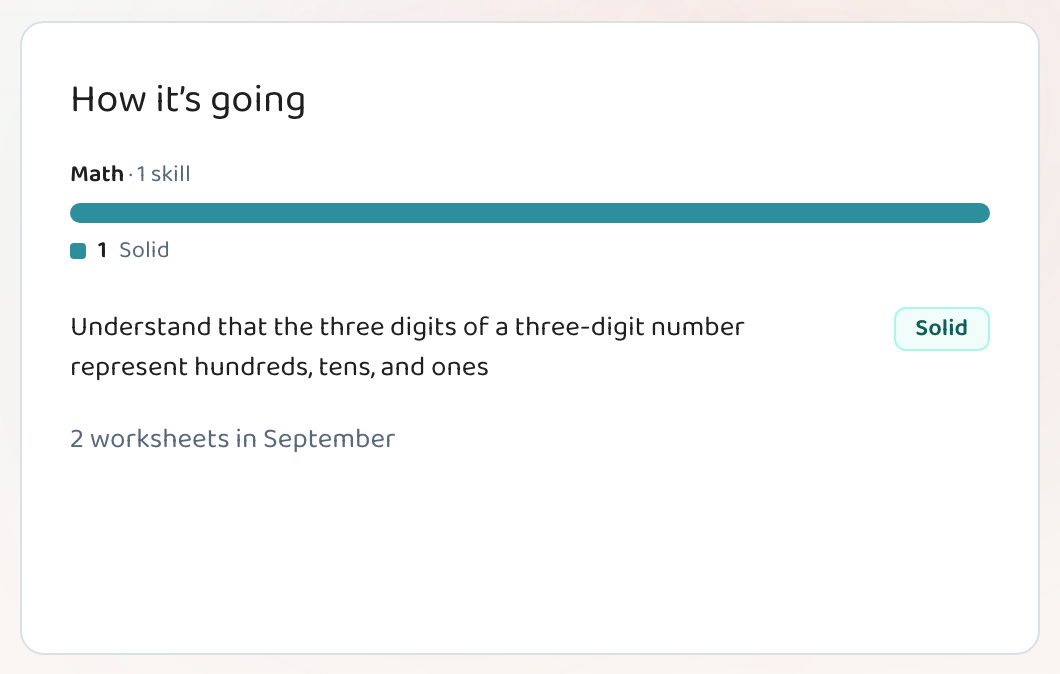
Progress is off until you turn it on, for every child. Open your child's page, expand Settings, and switch on progress tracking — from then on, quizzes they answer on screen fill in a "How it's going" card. It shows a plain word for each skill — Just starting, Getting there, Solid, Mastered — never a percentage, a grade, or a comparison with anyone else. Printed worksheets don't produce scores, because nothing is marking them; only quizzes answered on screen do. The free plan can track one child.
Step by step
Open your child's page
From "At home", click your child's name.
Expand Settings and switch progress on
Settings sits collapsed under the three cards. Progress is off by default for every child on every plan — nobody starts being measured because a setting said so.
Give them a quiz on screen
This is the part people miss. A printed worksheet has nothing marking it, so it can't produce a score. A quiz answered on screen marks every answer and fills in the card by itself.
- On screen: Marks itself, and fills in "How it's going". How to set one up
- On paper: Perfect for practice — it just won't produce a skill level.
Read it as a direction, not a verdict
Each skill shows one of four words. They describe where a skill is right now, after a handful of questions — they're a nudge toward what to practice next, not an assessment of your child.
Good to know
- Four words, in order: Just starting · Getting there · Solid · Mastered.
- Each skill links to the worksheet that produced it, so you can always see what the word is based on.
- The free plan tracks one child; Teacher and Pro track as many as you have.
Common questions
Why is my child's progress card empty?
Almost always because they've only done printed worksheets. Nothing marks a printed page, so there's no score to show. Set one worksheet up as an on-screen quiz and the card fills in as soon as they finish.
Will my child see a grade?
No. There are no percentages, letter grades, or rankings anywhere in the home view — only the four plain words, and only you see them.
Can I turn it off again?
Yes, from the same Settings panel, whenever you like.
Does it compare my child to other children?
No. Nothing in Lessonpress compares your child to anyone. The words describe one skill for one child, based on what they answered.
Try it yourself, free.
Make a standards-aligned worksheet in under a minute. No credit card to start.
Start free