How do I make a Spanish, easier, or harder version of a worksheet?
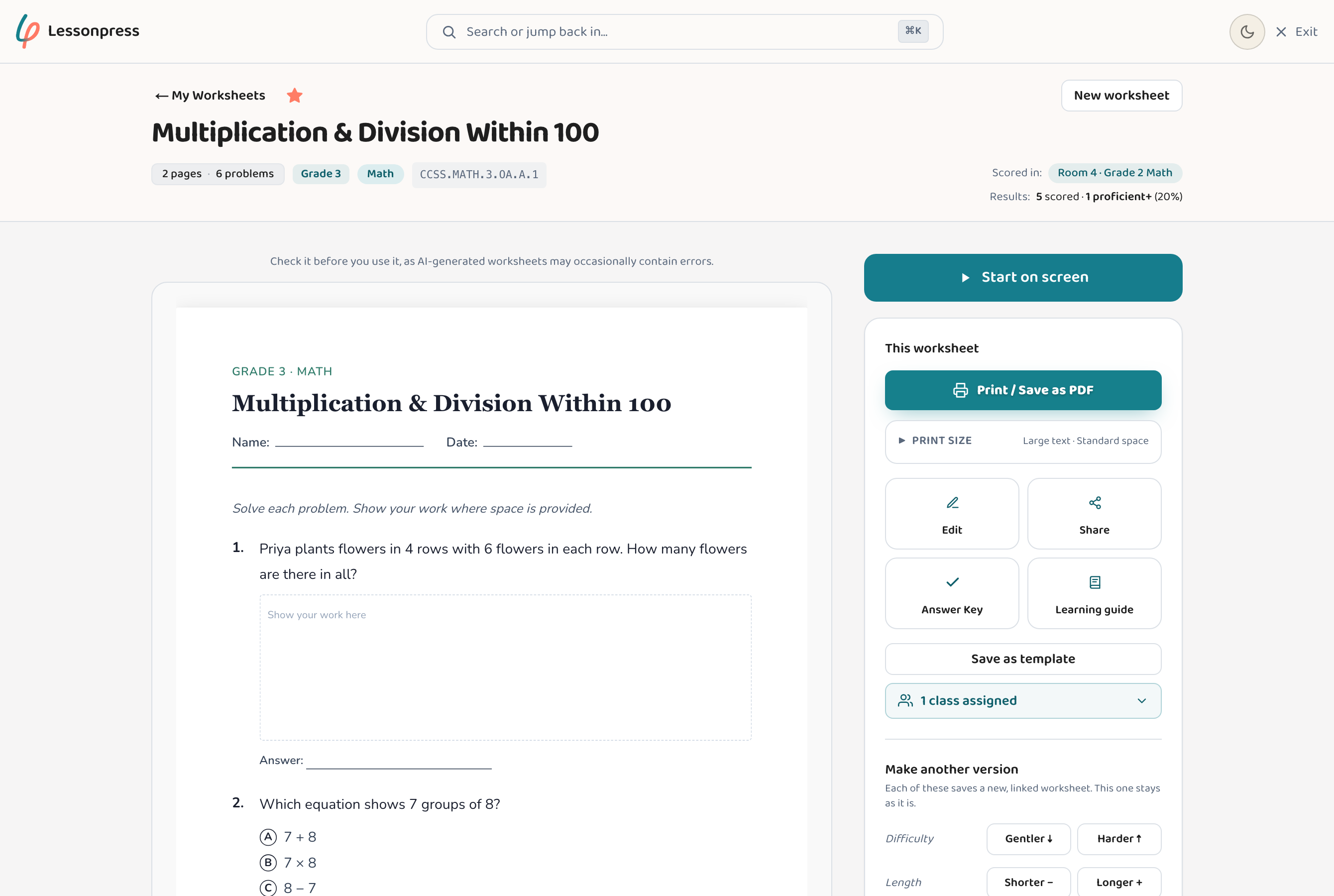
Open any worksheet you've made and use the differentiation tools in the right-hand toolbar (ways to make an easier, harder, or Spanish version of the same page): the English/Spanish (EN/ES) toggle makes a Spanish version, and "Gentler ↓" or "Harder ↑" under Difficulty makes an easier or harder copy of the same lesson. Each one creates a new linked worksheet — your original stays untouched — so you can hand different students the right version of the same content. Translating to Spanish works on every plan (it counts as one of your monthly worksheets); adjusting difficulty with Gentler or Harder is part of the Teacher and Pro plans.
Step by step
Open a worksheet you've made
Go to your saved worksheets and open the one you want to adapt, or generate a fresh one first.
Choose how to adapt it
Use the English/Spanish (EN/ES) toggle for a Spanish version, or "Gentler ↓" / "Harder ↑" under Difficulty to make the same lesson easier or harder.
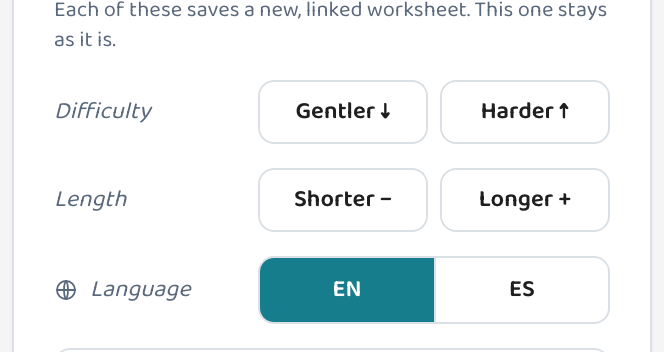
Let Lessonpress build the new version
It rewrites the worksheet — and its answer key — for the new language or level, keeping the same standard and topic.
Review and print
The new version opens as its own page, linked to the original. Print it or save it as a PDF for whoever needs that version.
Good to know
- The original and every version stay grouped together, so you can find the whole family at a glance.
- You can make both gentler and harder versions of the same worksheet from one starting page — enough to cover a wide-ability class, or to give one child an easier and a harder go at the same skill.
- Translation keeps the standard and the question intent — it's a real Spanish worksheet, not a word-for-word swap.
- Translating to Spanish works on every plan and counts as one of your monthly worksheets. "Gentler ↓" and "Harder ↑" difficulty adjustments are Teacher and Pro features.
Common questions
Does translating change the original worksheet?
No. Each adaptation creates a separate, linked copy. Your original English worksheet stays exactly as it was.
What languages are supported?
English and Spanish translation is built in. The two versions stay linked so you can hand each student the right one.
Do the easier and harder versions still match the standard?
Yes. Adjusting difficulty with "Gentler ↓" or "Harder ↑" changes the difficulty of the questions while keeping the same standard and topic, so it's still the right lesson — just pitched differently.
Try it yourself, free.
Make a standards-aligned worksheet in under a minute. No credit card to start.
Start free