How do I put more than one standard on a worksheet?
Use "mix in." Open a worksheet you've made, choose up to three more standards to add, and Lessonpress rebuilds it as a single page that practices the original standard plus the new ones together — with one combined answer key. That's up to four standards on one worksheet, ideal for spiral review (mixing older skills back in so they aren't forgotten) or a quiz that spans a unit. If you'd rather have a separate practice page for each standard, use a study set instead — it builds a pack of worksheets, one per standard. Mix-in and study sets are part of the Teacher and Pro plans.
Step by step
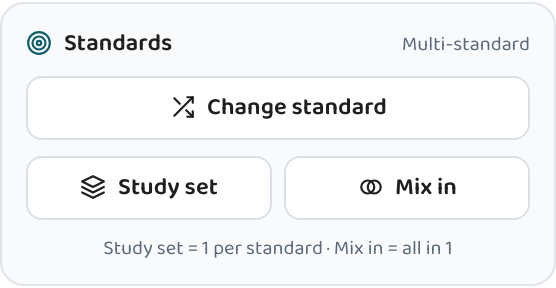
Open a worksheet and choose "Mix in"
Mix-in builds on a worksheet you've already made, so open one (or generate a quick one first). In its tools, choose "Mix in standards" — the worksheet's own standard becomes the first one on the combined page.
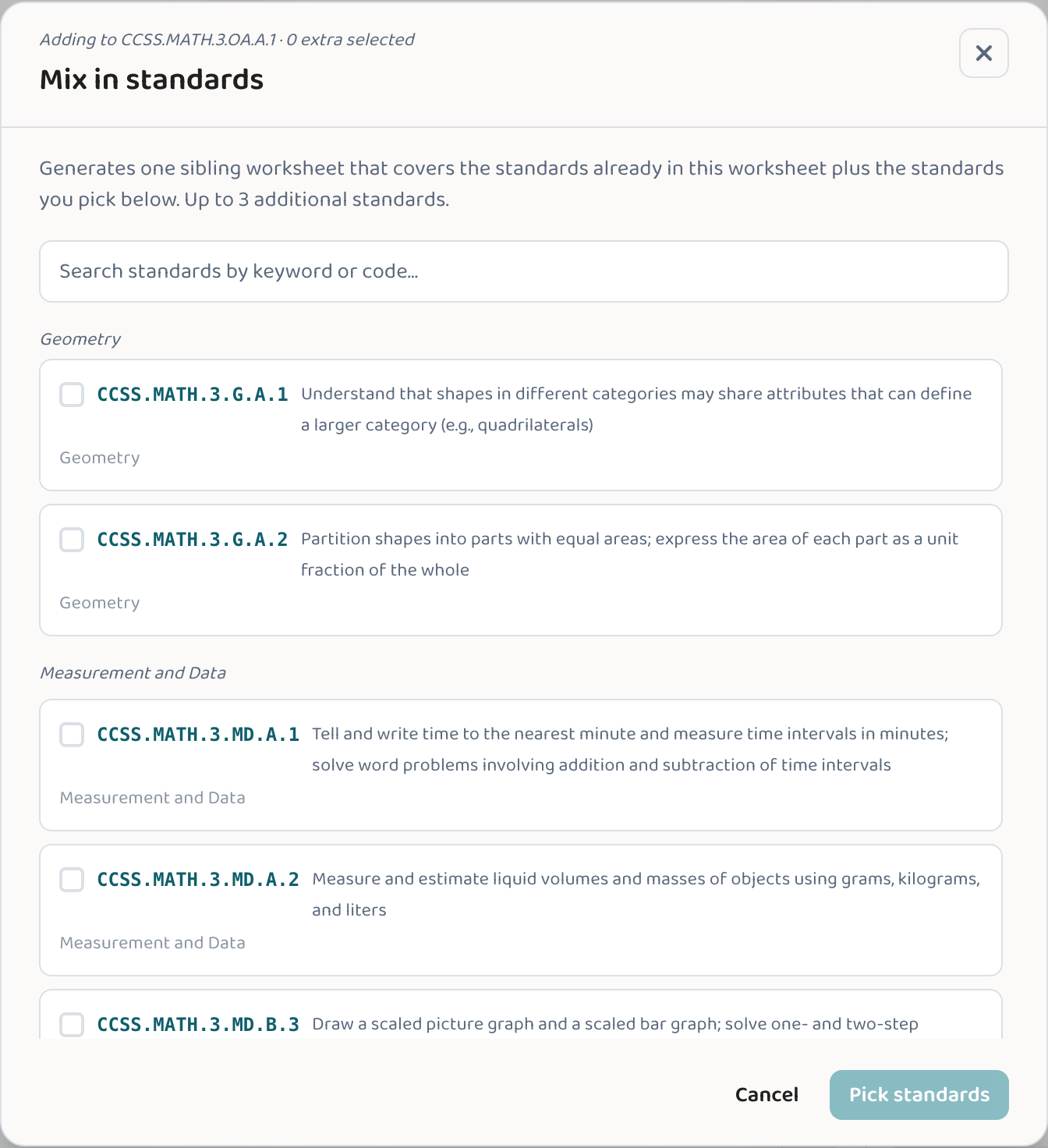
Pick the standards to add
Choose up to three more standards to combine with the worksheet's own — for example, the key skills from a unit you're about to review.
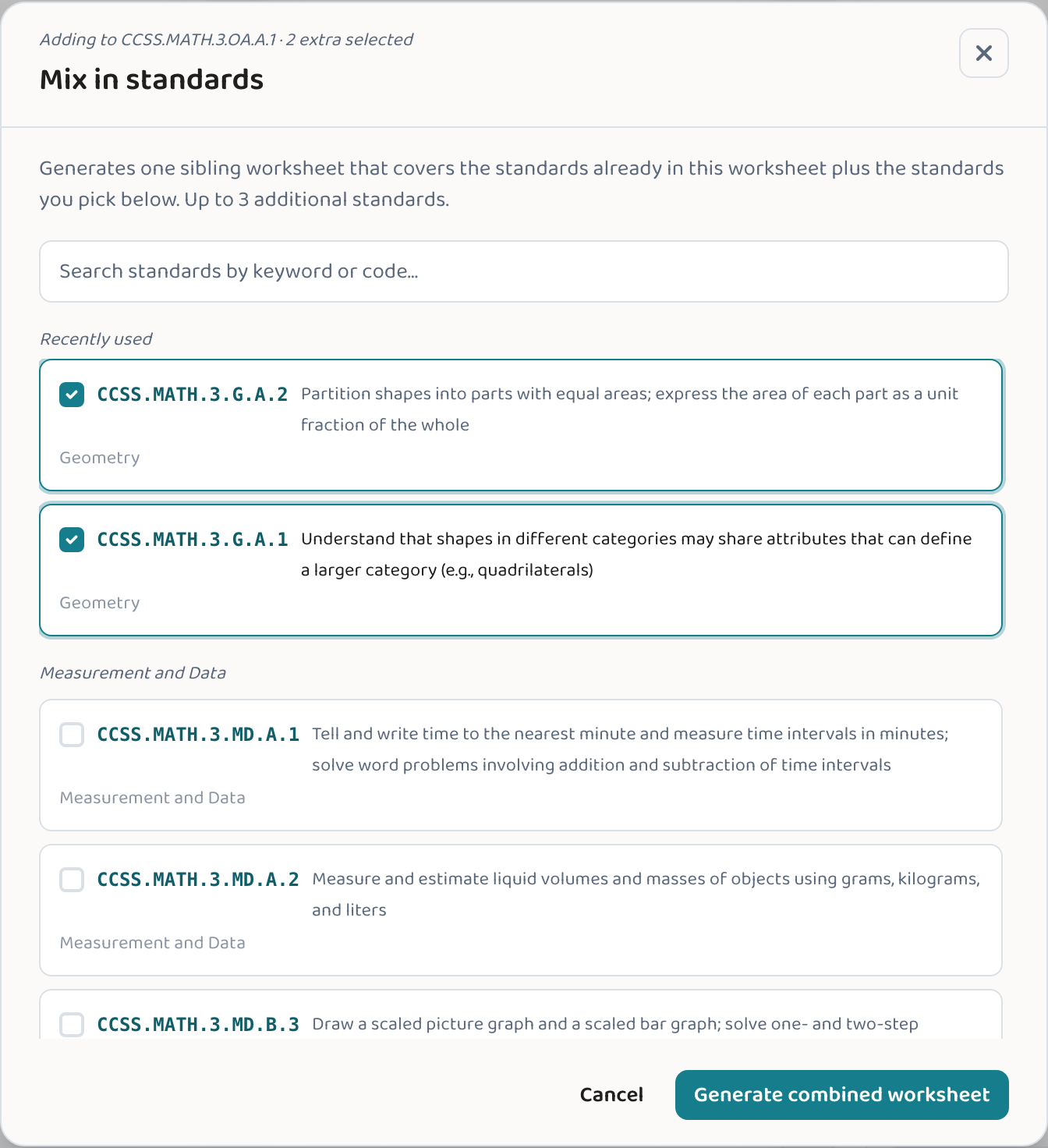
Generate the combined worksheet
Lessonpress writes one worksheet that practices all of the standards together, with a single answer key covering the whole set.
Print or save
Print it or save it as a PDF — one page that spans the standards you chose.
Good to know
- Mix-in is great for spiral review — fold older standards back into a fresh worksheet so they don't fade.
- Keep it to a few standards (the original plus two or three) so each one still gets real practice on the page.
- Want a separate page for each standard instead? Use a study set — it builds a pack of worksheets, one per standard.
Common questions
How many standards can I put on one worksheet?
Mix-in adds up to three more standards to a worksheet's own, so up to four on a single combined page. (A study set is different — it builds a separate worksheet for each standard, up to five.)
What's the difference between "mix in" and a study set?
Mix-in produces ONE worksheet covering several standards together — a single combined page and answer key. A study set produces a PACK of separate worksheets, one per standard. Use mix-in for one combined page; use a study set when you want a distinct practice page for each skill.
When should I combine standards on one page?
Spiral review, end-of-unit quizzes, and review days — any time you want several skills practiced together on a single page rather than spread across pages.
Try it yourself, free.
Make a standards-aligned worksheet in under a minute. No credit card to start.
Start free