Set up your class and start tracking mastery
You don't just want worksheets — you want to know who's getting it. Here's how to set Lessonpress up as a lightweight gradebook by standard, so every worksheet you assign feeds a clear picture of where your class stands.
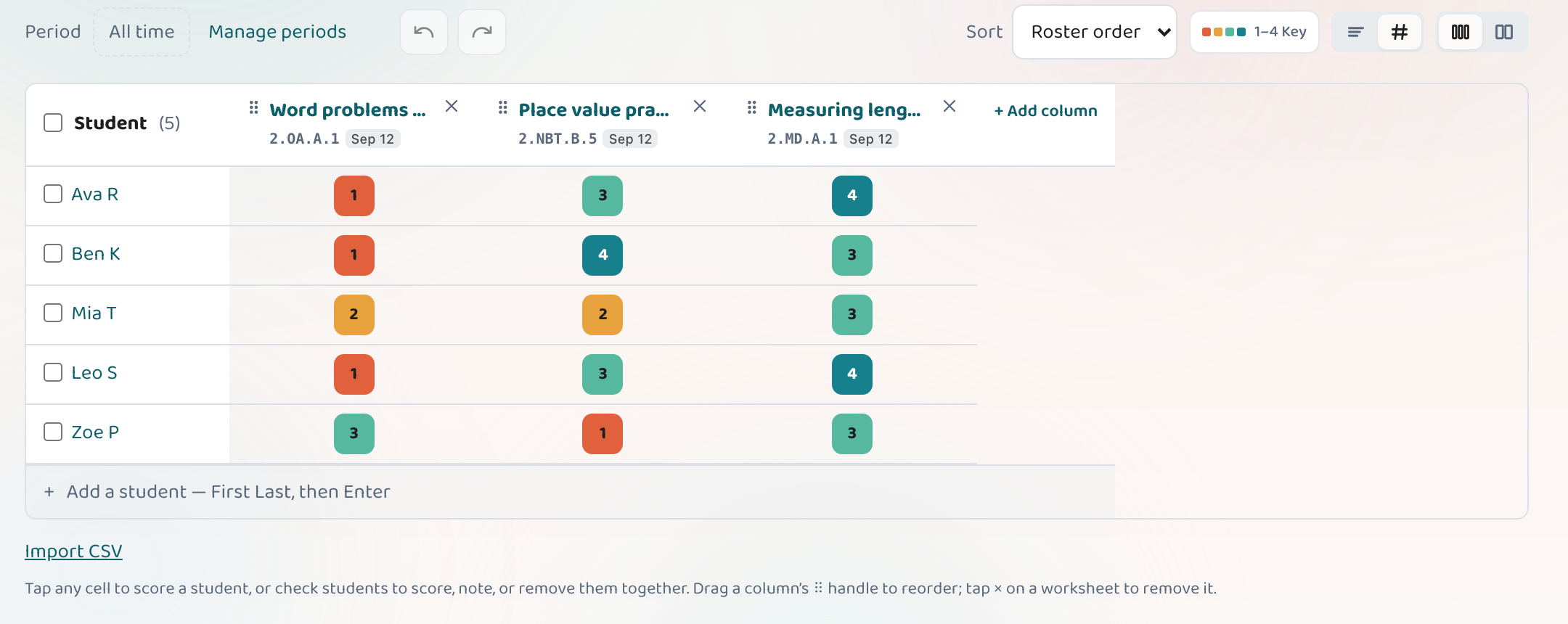
Create a class, add your students (type them in or paste a CSV), then attach the worksheets you assign — or log a test you gave on paper. Score students on the scoring grid with a tap, and Lessonpress builds a mastery matrix that shows, standard by standard, who's secure and who needs another look. You set it up once; every worksheet after that updates the picture automatically.
How it fits together
Create your class and student groups
Make a class for each section you teach and add your roster. You only do this once.
How class setup worksImport your roster in one paste
Type names in or paste a CSV from your gradebook — Lessonpress splits first and last names for you.
Set up and manage your classAdd the work you assign
Attach any worksheet you make to the class — or log a quiz you gave outside Lessonpress so it counts too.
Log an outside assessmentScore with a tap
On the scoring grid, tap each student's cell to mark Not yet, Approaching, Proficient, or Advanced — or bulk-score a whole column at once.
Track progress by standardRead the mastery matrix
The grid turns scores into an at-a-glance map of who's secure on each standard and who isn't — the foundation for everything else.
How the mastery matrix works
Common questions
Do I have to grade everything by hand?
No — scoring is a single tap per student, and you can bulk-score an entire column at once. Most teachers score a class in a couple of minutes.
Can I track a test I gave on paper?
Yes. Log it as an outside assessment, pick the standard, and score students on the same grid — it feeds the mastery matrix just like a Lessonpress worksheet.
Set up your class, free.
Add a class, score a worksheet, and watch mastery fill in by standard. Free 7-day Pro trial — no card to start.
Set up your class