Differentiate one lesson for a mixed-ability class
You teach a class with students at very different levels — and you can't teach three separate lessons. Here's how to take one worksheet and spin off the versions each group needs, so every student works on the same goal at the right level of support.
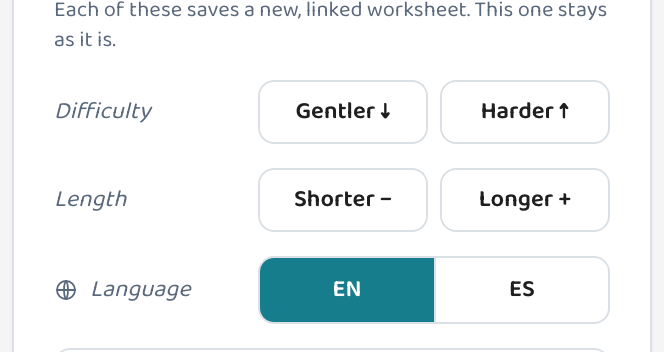
Start with one on-level worksheet, then use the differentiation tools to make an easier version, a harder version, and a Spanish translation — each keeps the same standard and topic, so it's the same lesson pitched differently. For students who've already mastered the standard, a per-student enrichment worksheet goes deeper on what they've already locked down. Adjust the question count to fit the time you have. You walk in with every level covered from one starting page.
How it fits together
Make easier and harder versions
Use "Level down" for students who need more support and "Level up" for those ready for a stretch — each creates a linked copy with the same standard so every group is on the same lesson.
Translate or change the difficultyCover multiple standards or span a review
Use "Mix in standards" to build a combined page covering a unit's key standards — good for a review day or a differentiated quiz that spans the whole unit.
Put multiple standards on one worksheetAdjust the question count to fit the time
Use "Fewer questions" or "More questions" to shorten a page for students who need less pressure, or extend it for early finishers — same standard, just the right length.
Adjust worksheet length
Common questions
Do the easier and harder versions still cover the same standard?
Yes. Leveling up or down changes the difficulty of the questions while keeping the same standard and topic — so it's the same lesson, just pitched for a different group.
What's the difference between leveling and adjusting the question count?
Leveling (up/down) changes the difficulty of questions. Adjusting length keeps the same difficulty and just changes how many questions are on the page — useful for a quick check vs. a longer practice session.
Does my original worksheet change when I make these versions?
No. Every version is a separate, linked copy. Your original stays exactly as it was, and all the versions stay grouped together.
Try it yourself, free.
Make a standards-aligned worksheet in under a minute. No credit card to start.
Start free