How do I edit a worksheet question by hand?
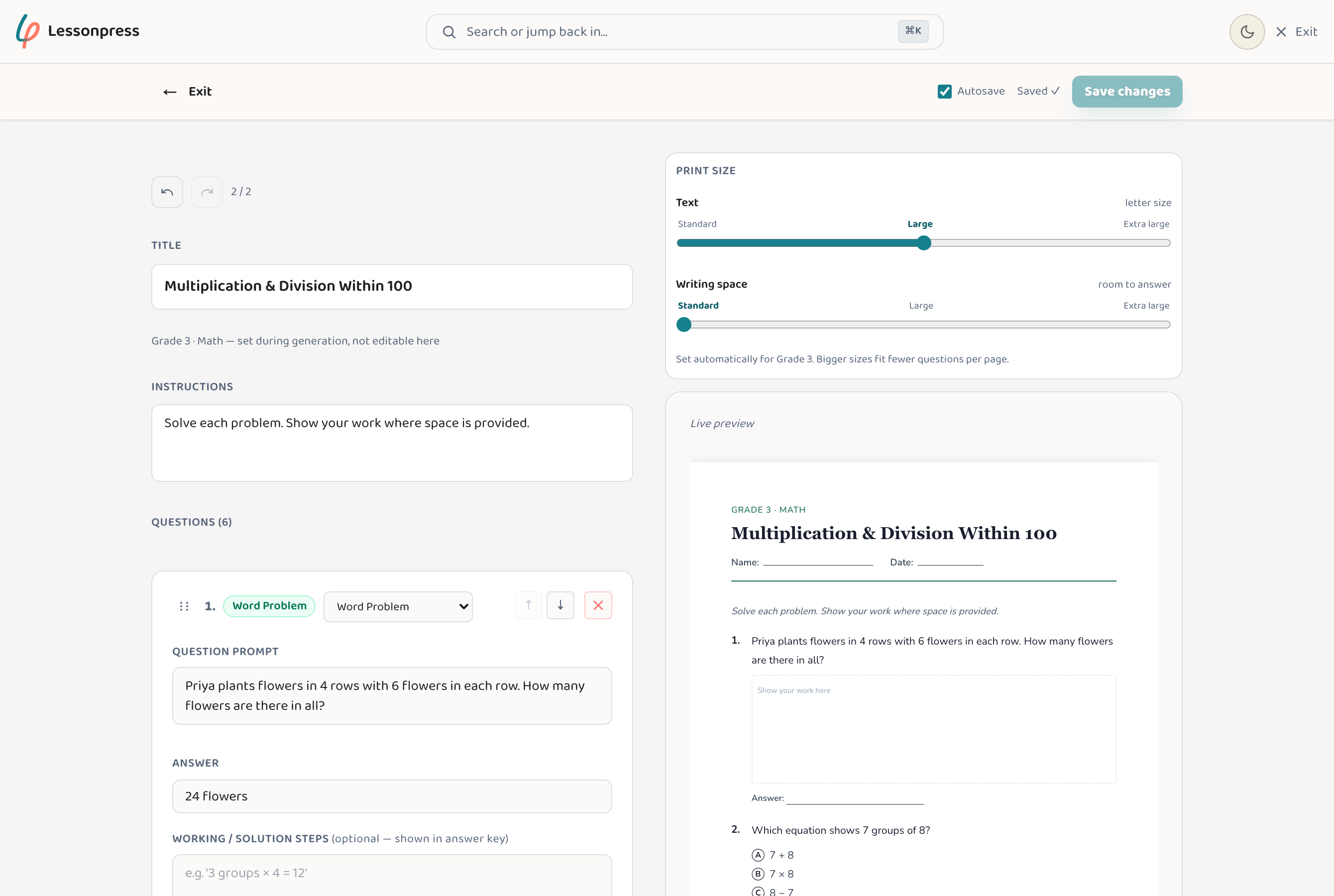
Open the worksheet in the editor, where every question is a block you can rewrite, reorder, add, or delete. Drag blocks to change the order, click a question to edit its text, and use the insert button to drop a new one in between. A live preview shows the printed page as you work, and undo/redo (plus save) keep your changes safe. It's the quick way to fix a number, swap a name, or drop a question that doesn't suit. The block editor is part of the Teacher and Pro plans, and every new account gets 7 days of Pro to try it.
Step by step
Open the worksheet in the editor
From a worksheet you've generated, click "Edit" in the tools alongside it to switch from viewing to editing.
Edit, reorder, or remove questions
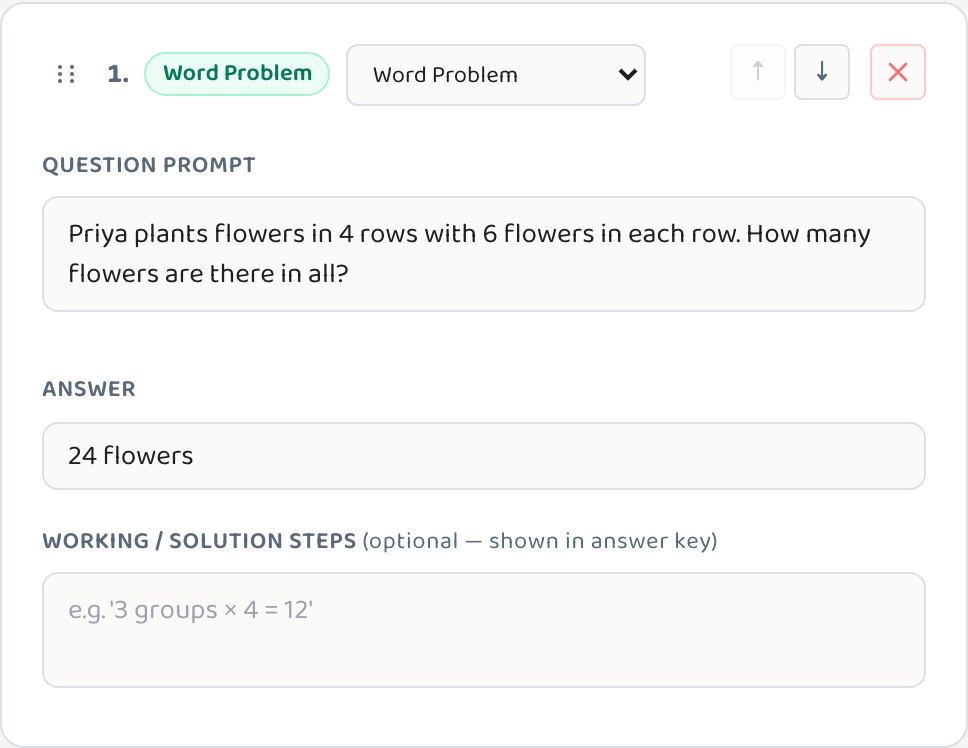
Every question is a block. Click its text to rewrite it, use the arrows (or drag the handle) to reorder, change the question type, or delete one you don't want — and the insert button drops a new question in between.
Watch the live preview
A side-by-side preview shows the printed page updating as you edit, so you can see exactly how it'll look on paper.
Save and print
Save your changes — the "Save changes" button, or Cmd+S — then print the worksheet or save it as a PDF.
Good to know
- Made a mistake? Undo and redo let you step backward and forward freely.
- After hand-editing a question, glance at the answer key before printing so it still matches what's on the page.
- Small tweaks — a name, a number, a context that fits the child or class in front of you — are often faster here than regenerating.
Common questions
Can I undo a change?
Yes. The editor has undo and redo, so you can step back and forth through your edits without losing work.
Will my changes be saved?
Yes — save with the save button or Cmd+S, and the edited worksheet stays in your library.
Can I add a brand-new question?
Yes. Use the insert button to drop a new question block in between existing ones, then type its content.
Try it yourself, free.
Make a standards-aligned worksheet in under a minute. No credit card to start.
Start free