How do I sign up, log in, or verify my email on Lessonpress?
Go to the sign-up page and create an account either with your email and a password, or with one click using "Continue with Google." If you sign up with email, Lessonpress sends you a confirmation link — open the email and click it to verify your address, then log in. Google sign-in skips that step because Google has already confirmed your email. Once you're in, you can start making worksheets right away. If you ever forget your password, use "Forgot password?" on the login page to get a reset link by email.
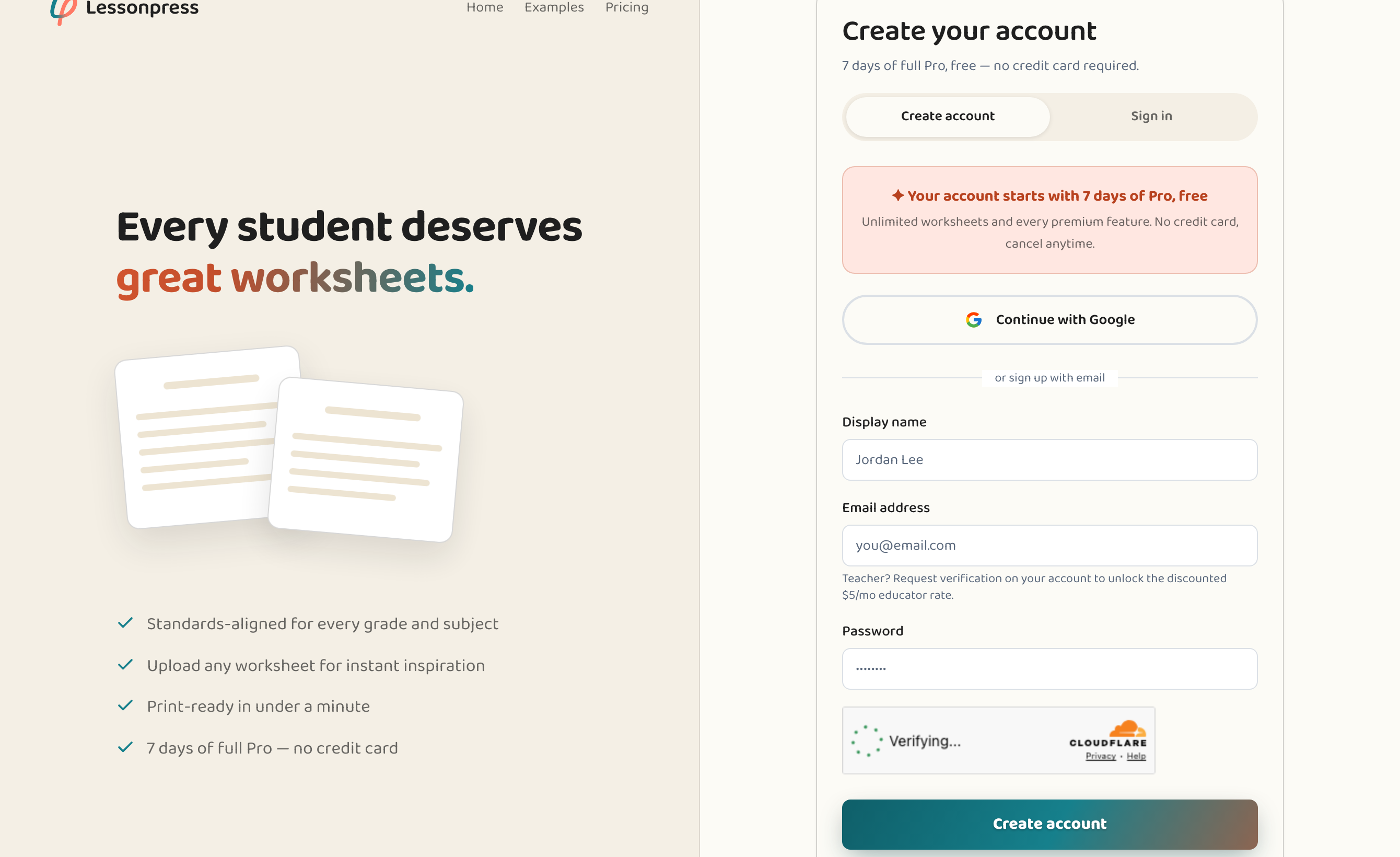
Step by step
Open the sign-up page
Go to Lessonpress and choose "Sign up." You'll see two ways to create an account: email and password, or "Continue with Google."
Create your account
Enter an email and password, or click "Continue with Google" to use your Google account in one step. Google sign-in is the fastest — there's no separate password to remember and no email to confirm.
Verify your email (email sign-ups only)
If you signed up with email, check your inbox for a confirmation message from Lessonpress and click the link inside. That verifies your address. (Google sign-ups skip this — Google has already confirmed your email.)
Log in and start
Once verified, log in and you're ready to make your first worksheet. Making worksheets is free to start — no credit card needed.
Good to know
- Signing up with Google is the quickest path — one click, no password to set, and no confirmation email to wait for.
- Don't see the confirmation email? Check your spam or promotions folder, and make sure you typed your address correctly.
- Forgot your password later? Use "Forgot password?" on the login page — you'll get a reset link by email.
Common questions
Do I have to verify my email?
If you sign up with email and a password, yes — click the confirmation link Lessonpress emails you. If you sign up with Google, there's nothing to verify; Google has already confirmed your address.
I didn't get the confirmation email — what now?
Check your spam and promotions folders first. If it's still missing, make sure your email address was typed correctly, and try signing up again or requesting a new link.
How do I reset a forgotten password?
On the login page, click "Forgot password?" and enter your email. Lessonpress sends a reset link so you can choose a new password.
Try it yourself, free.
Make a standards-aligned worksheet in under a minute. No credit card to start.
Start free