Can I trust that Lessonpress worksheets and answers are correct?
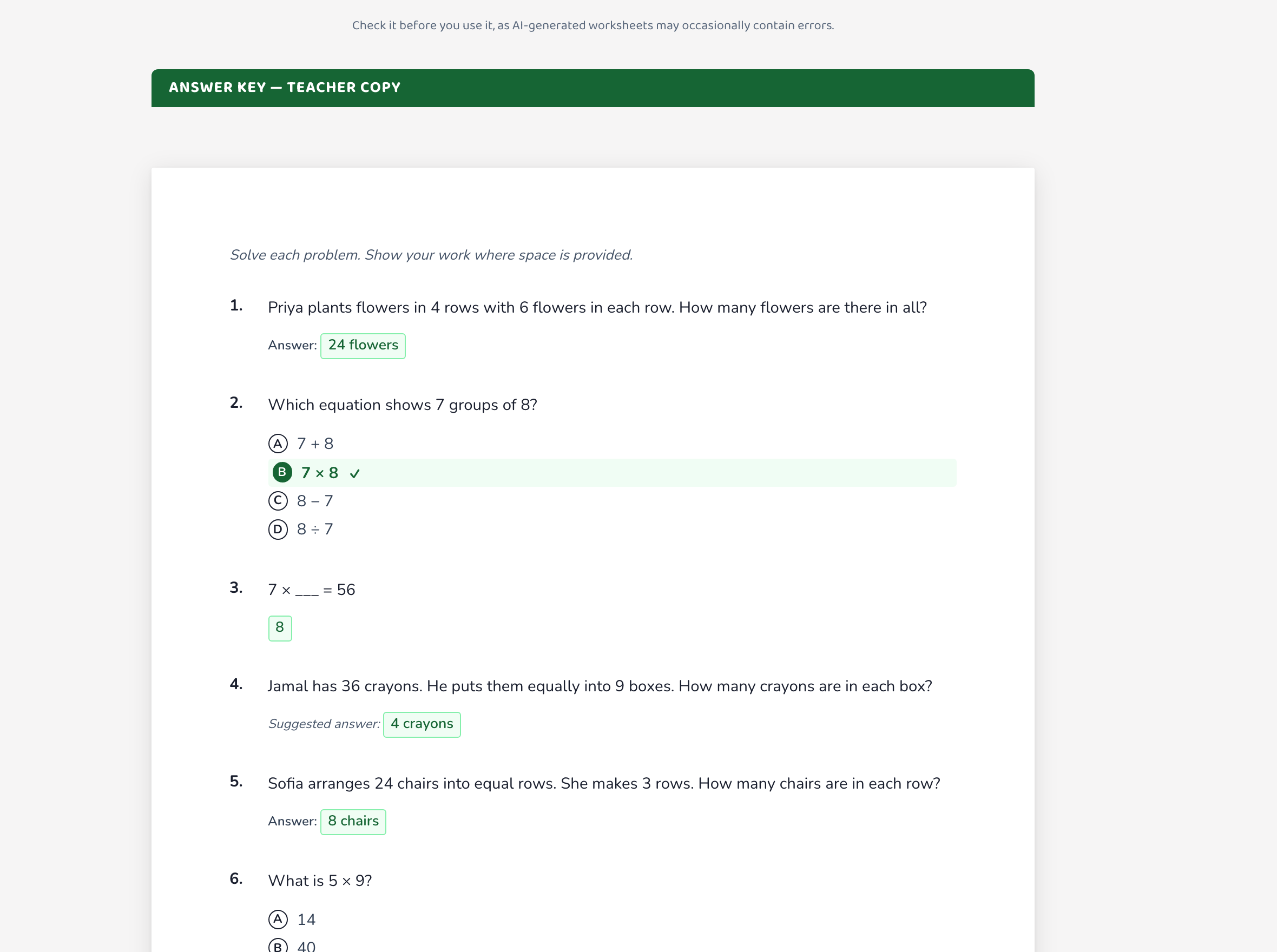
Lessonpress worksheets are AI-generated and aligned to the standard you choose, and they're built to be accurate enough to hand a student directly. Because they're generated, the honest advice is to give the page and its answer key a quick read before using it — an AI can occasionally slip, especially on tricky multi-step problems. Every worksheet comes with a matching answer key so you can check the expected answers in seconds, and if anything looks off you can generate a fresh version (free) or, on a paid plan, edit the question by hand. A quick skim catches the rare mistake, and then you can use the page with confidence.
Step by step
Generate your worksheet
Make the worksheet as usual. It's written to the standard you picked, so the questions target the right skill.
Give it and the answer key a quick read
Skim the questions and open the answer key. This takes under a minute and is the single best way to catch the occasional AI slip before a student sees it — especially for higher grades and multi-step problems.
Fix anything that looks off
Spot a mistake? Generate a fresh version for free — a new attempt usually resolves it. On the Teacher and Pro plans, you can also open the block editor and correct a single question by hand.
Good to know
- The answer key is there precisely so you can double-check — handy if you're a parent who isn't sure of a tricky answer yourself.
- Every worksheet carries a quiet "check before distributing" reminder for the same reason — it's honesty about how AI generation works, not a sign the page is unreliable.
- If a topic keeps coming out wrong, try describing it a little differently in the wizard — clearer intent usually produces a cleaner worksheet.
Common questions
Are the answers always right?
Very often, yes — but because they're AI-generated, an answer can occasionally be off, most likely on multi-step or higher-grade problems. Always give the answer key a quick look before you rely on it; it takes seconds and catches the rare error.
What do I do if I find an error?
Generate the worksheet again for a fresh version — that usually fixes it. Or, on a Teacher or Pro plan, edit the specific question by hand in the block editor.
Are the worksheets really aligned to the standard?
Yes. Each worksheet is generated for the specific standard (or the topic you described), so the questions practice the skill you asked for at the grade you chose.
Try it yourself, free.
Make a standards-aligned worksheet in under a minute. No credit card to start.
Start free